
Everything Miles does. Nothing it shouldn’t.
A native iPhone app with the features car owners actually use — and none of the bloat. Here’s the deeper tour.
A clean, complete record for every car.
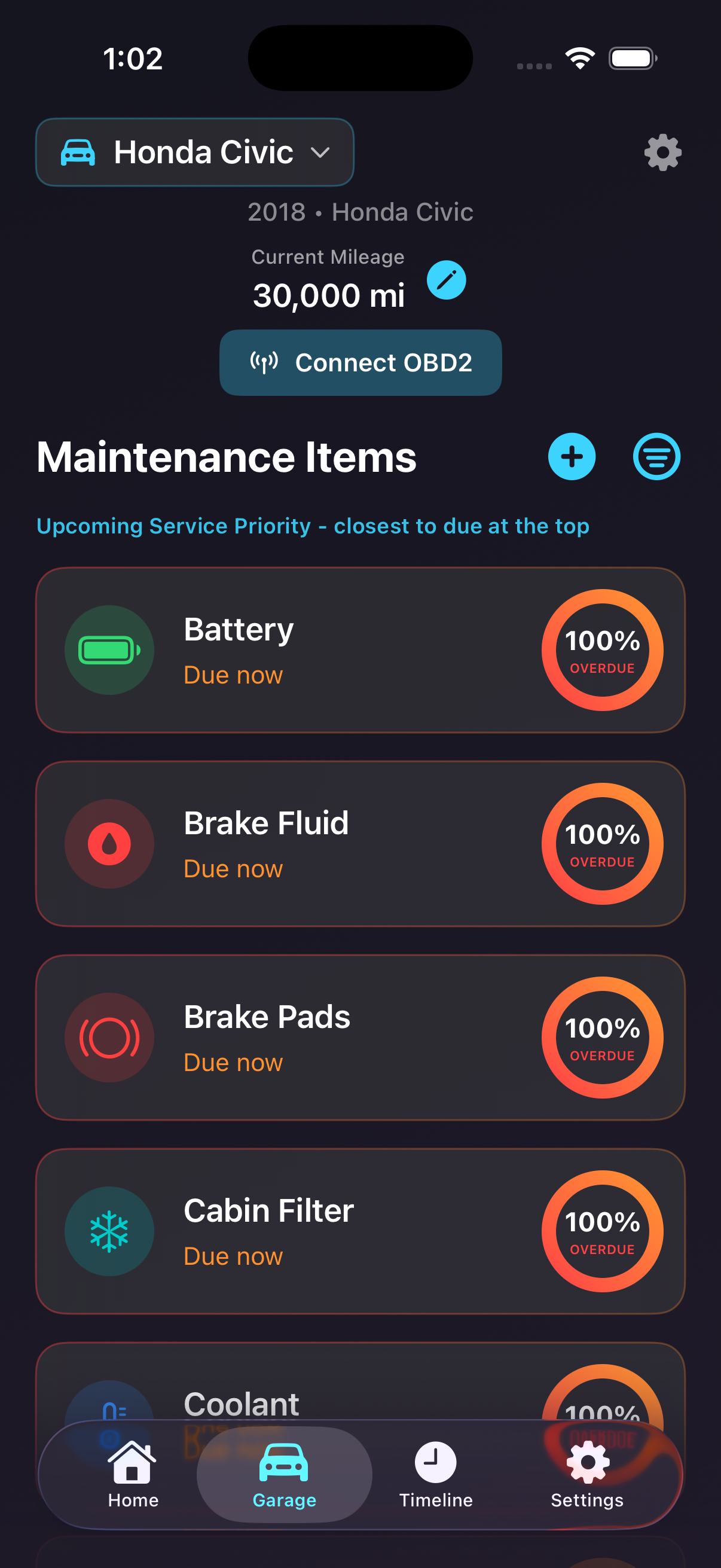
Each vehicle in Miles gets its own maintenance checklist with real service intervals built in. Oil, brakes, tires, transmission fluid, coolant, filters, plugs — everything that matters, tracked side by side.
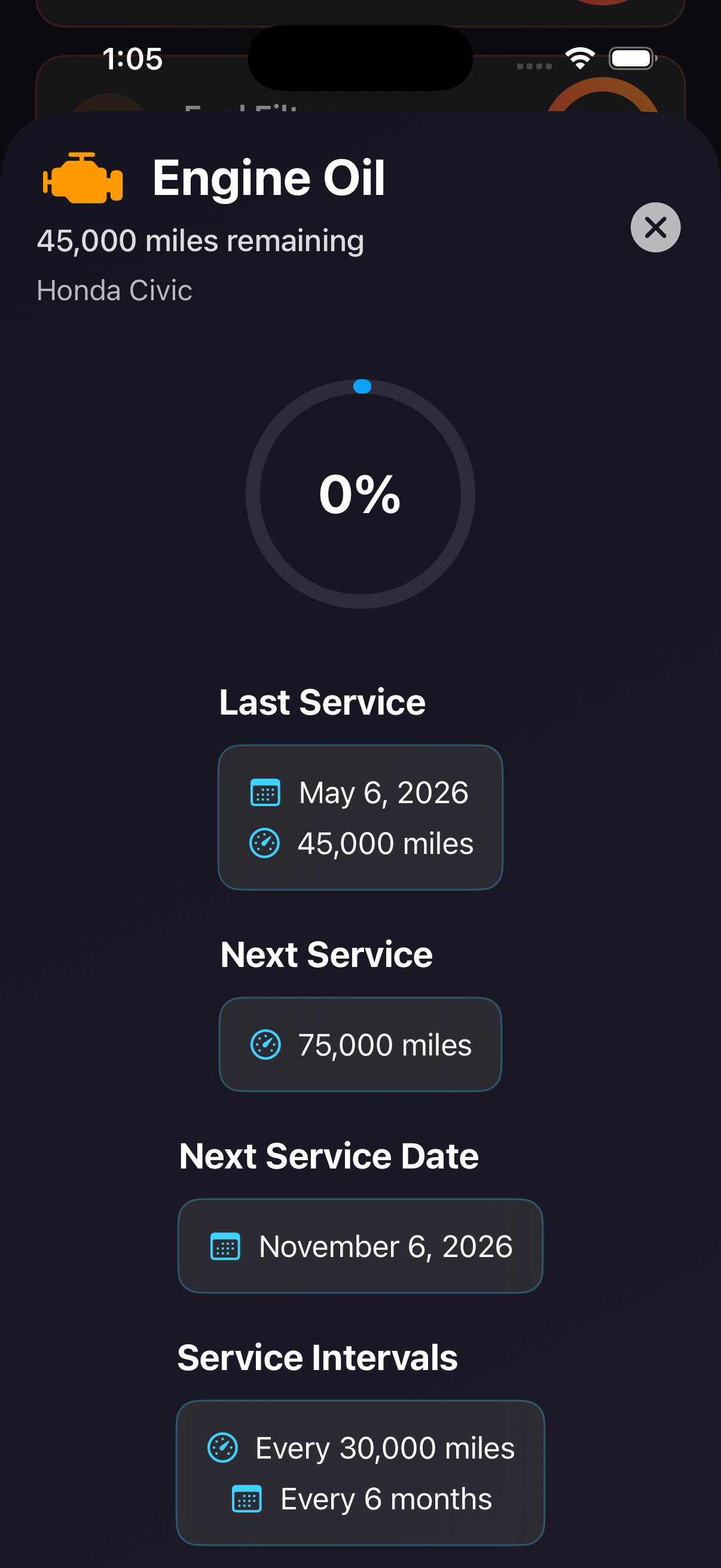
Sort tasks alphabetically or by service priority (what’s closest to due first). Tap any item to see how it’s tracked, when it was last done, and what’s coming up by both date and mileage.
Every record is yours. Local-first, with optional private iCloud sync so the data you put in on your iPhone is right there on your iPad too.

Reminders that know about mileage, not just time.
Most reminder apps know about today. Cars don’t care about today — they care about how far you’ve driven. Miles tracks both, and tells you when whichever comes first.
Update your mileage when you log a service or top up your gas, and the schedule recalculates automatically. No more guessing whether you’re overdue. No more skipping the timing belt because you forgot you crossed the threshold.
Notifications are local to your device. They fire when a service is due — you can change the timing or turn them off entirely in iOS Settings.
Add a car in under a minute.
Tap Scan VIN when adding a vehicle and point your camera at the VIN sticker (driver’s side door jamb or the dash near the windshield). Miles reads it, decodes the year, make, and model, and lets you review before saving.
No VIN handy? Type it. No camera access? Type the year/make/model directly. The whole setup takes seconds either way — not the kind of friction that makes you bail before the app is useful.
Miles also keeps your VIN tucked into the vehicle profile so you can copy it later for insurance, registration, or a parts order.
Your iCloud. Your data. Nobody else’s servers.
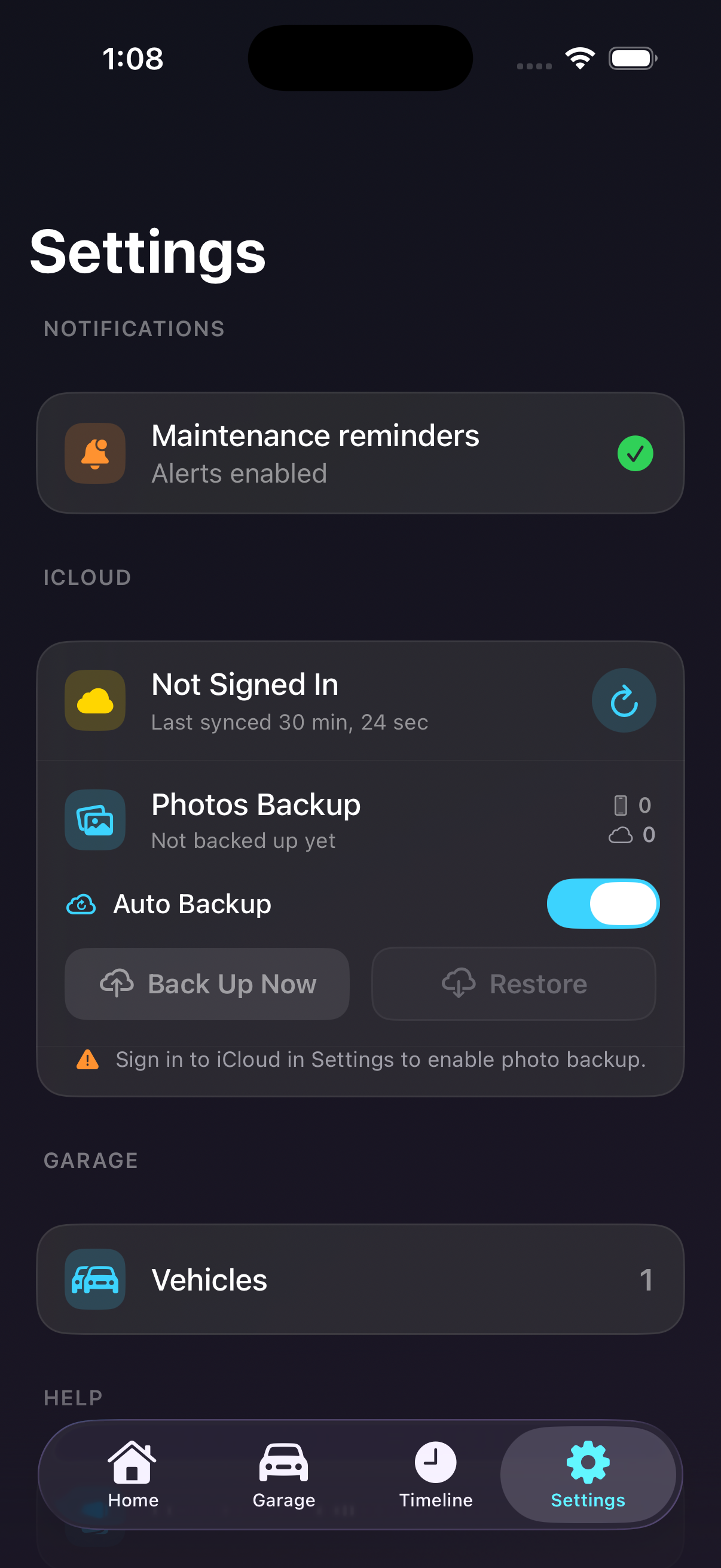
If you turn on sync, Miles uses Apple’s CloudKit private database. That means your records live in your own iCloud account, accessible only to you. Not us. Not a third party. Not a marketing partner.
The same maintenance history shows up on every device signed into your Apple ID — iPhone, iPad, and any future device you add. Lose a phone? Your data’s already in your iCloud. Restore and keep going.
Don’t want sync at all? Leave it off. Miles works completely offline, with everything stored locally on your device.
Add anything Miles doesn’t already know about.
Miles ships with the standard items every car needs — oil, brakes, fluids, filters, plugs, belts. But cars are weird. Some of yours might need a coolant flush at a non-standard interval, a track-day brake bleed every six months, or a polishing routine you actually take seriously.
Add your own items with a custom name, icon or photo, and the interval that fits how you actually maintain that car. Same reminders, same timeline, same export. Treated like a first-class citizen alongside the built-ins.
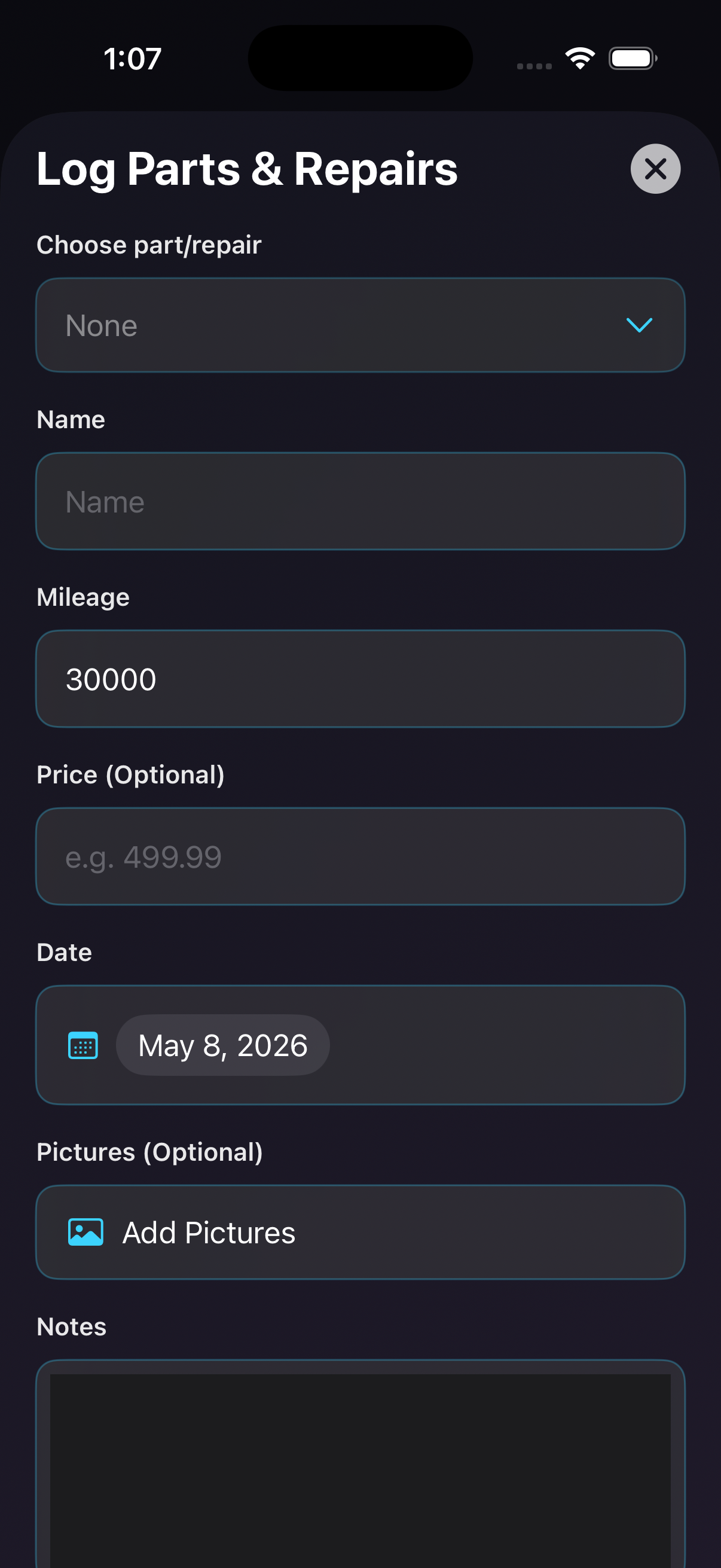
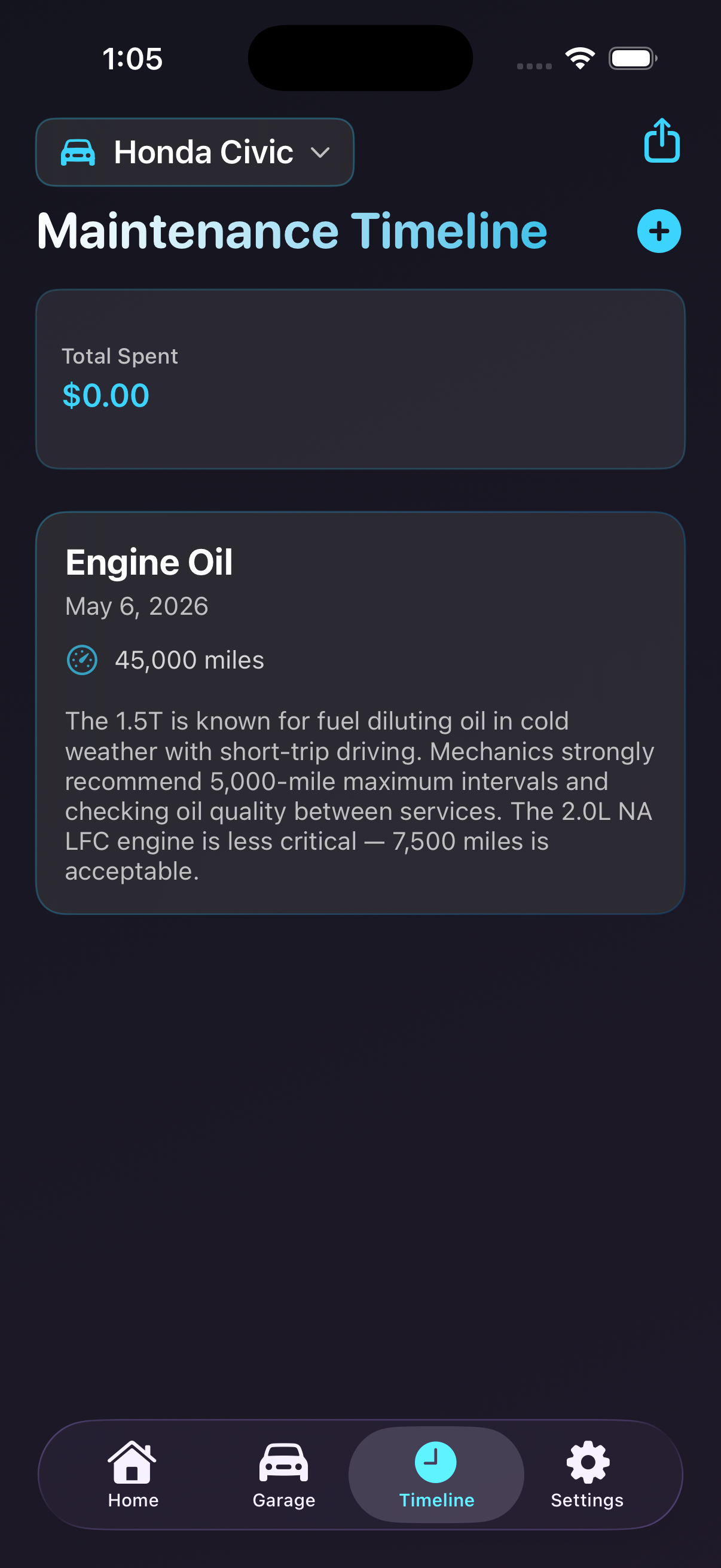
Logging an aftermarket part is just as quick. Use the + button on the timeline to record what went on, what it cost, and a photo — build a real history for your project car.
A paper trail when you need one.
Open a vehicle, tap export, choose PDF. Miles generates a clean, formatted history with every service logged, the mileage at the time, photos, prices, and your notes.
Save it to Files. Email it to a buyer. AirPrint it. Hand it to a mechanic. Buyers tend to pay more when they can see exactly how a car has been maintained — and you don’t have to dig through a folder of crumpled receipts to prove it.
We recommend exporting periodically as a backup, especially before big software updates or device transitions.
Get Miles when it ships.
A private iPhone app for car owners who actually care.
Coming soon to the App Store